
Guide:Character Customization
Jump to navigation
Jump to search
 Looks like this article or section is a stub and missing info. You can help out by expanding it.
Looks like this article or section is a stub and missing info. You can help out by expanding it.Character Customization is the way to create your avatar in Palia.
Body Type
When you enter the game, in character creation the first thing you will find will be the type of body that your character will have.
- This will not affect the character's pronouns.
Body General Customization
Face Shape
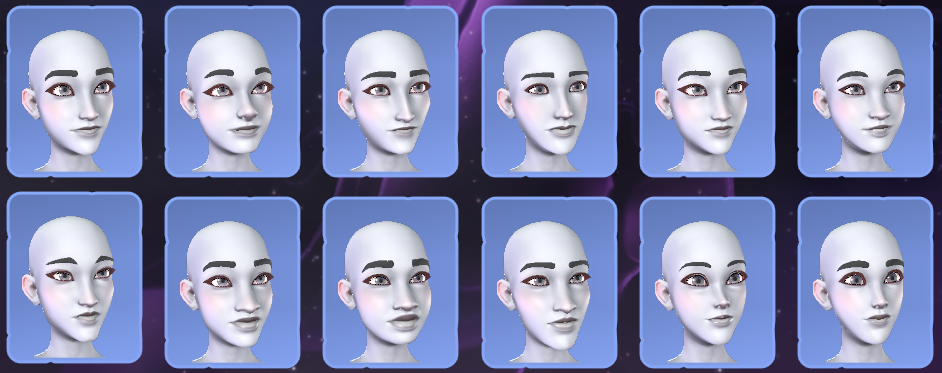
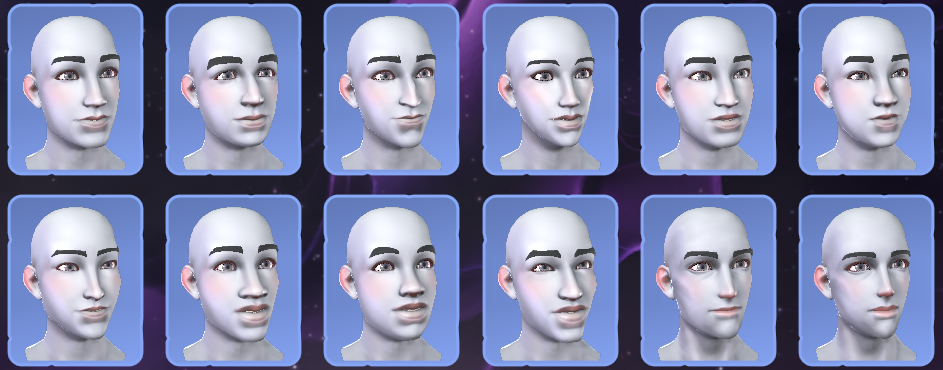
Once the body type is chosen, you will move on to the shape of your character's face, being able to choose from a wide variety.


Skin Color
Here all the skin tones available for creating your character will be shown.

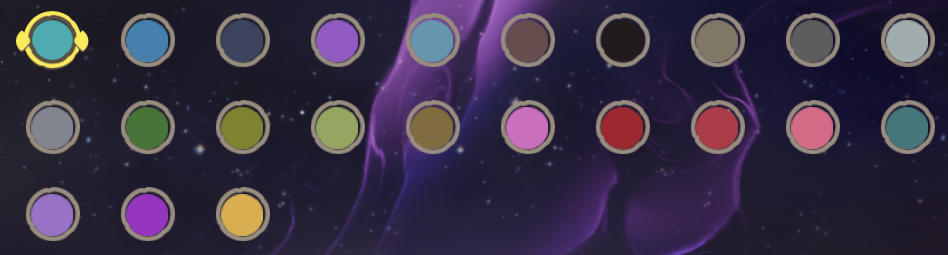
Eyes Color
Here all the eye colors available for creating your character will be shown.
Voice Tones
- Once the eye color has been chosen, you will be given the option to choose your character's tone of voice. You will be given 5 female voices and 5 male voices of different pitches. The voices in your character will be used when climbing, jumping or doing some effort or animation.
Hair
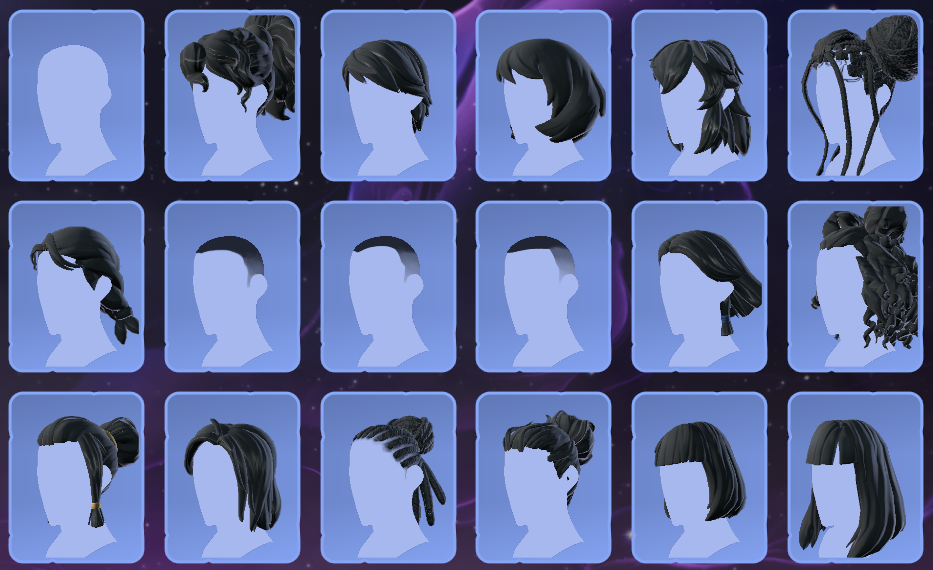
- In the following images you can see all the hairstyles available in Palia.
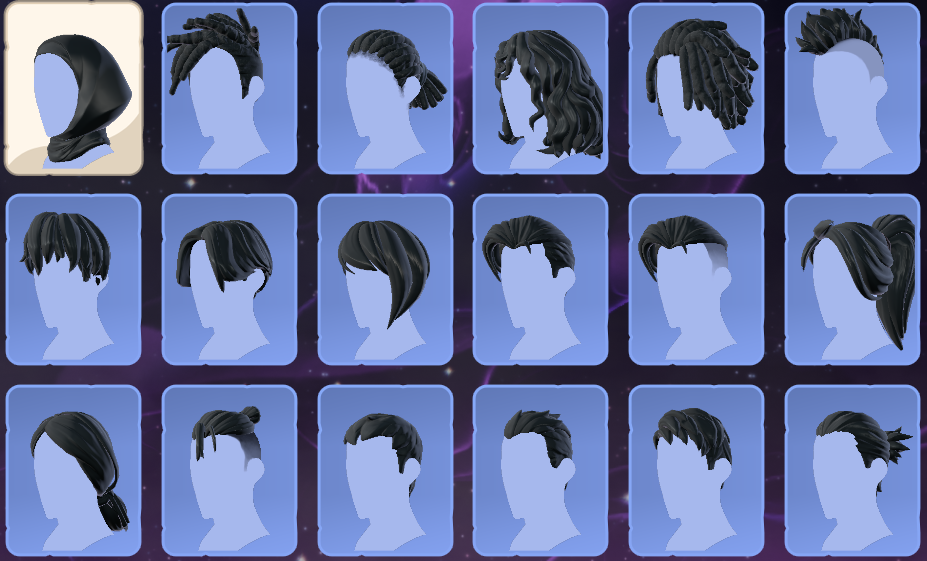
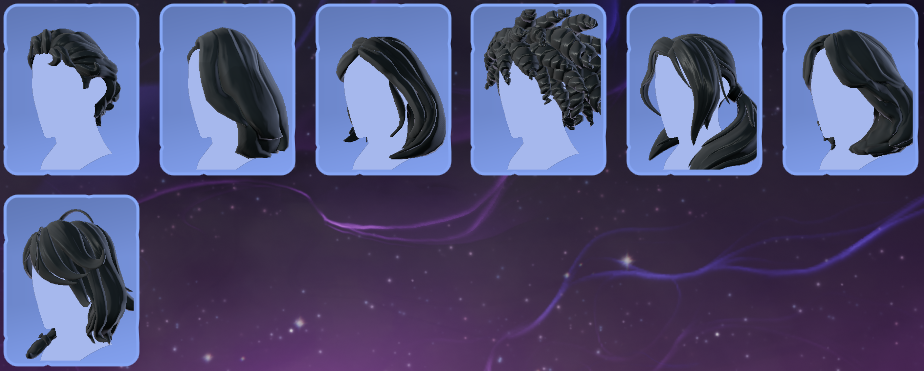
Hair Colors
| Swatches | ||||||||||||||||||||||||
|---|---|---|---|---|---|---|---|---|---|---|---|---|---|---|---|---|---|---|---|---|---|---|---|---|
| Jet Black | Black | |||||||||||||||||||||||
| Blue | Green | |||||||||||||||||||||||
| White | Platinum | |||||||||||||||||||||||
| Blond | Ash | |||||||||||||||||||||||
| Chestnut | Mahogany | |||||||||||||||||||||||
| Chocolate | Salmon | |||||||||||||||||||||||
| Honey | Ginger | |||||||||||||||||||||||
| Rust | Copper | |||||||||||||||||||||||
| Red | Cherry | |||||||||||||||||||||||
| Pink | Purple | |||||||||||||||||||||||
| Aqua | Sage | |||||||||||||||||||||||
| Ice | Lilac | |||||||||||||||||||||||
| Blush | Bubblegum | |||||||||||||||||||||||
| Ruby | Sapphire | |||||||||||||||||||||||
| Amethyst | Emerald | |||||||||||||||||||||||
| Peridot | Rose | |||||||||||||||||||||||
| Aquamarine | Topaz | |||||||||||||||||||||||
- The colors above can be applied to three aspects of our hair: main color, highlight color and eyebrow color. We can also choose the pattern for the main/highlight colors.

Beard
- In the new versions of the game, beards have been added.

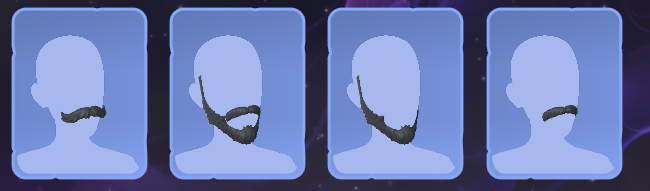
Accessories
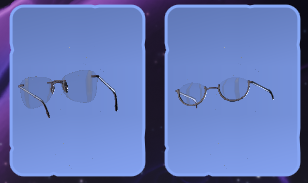
- At the moment, these are the only facial accessories that we can put on our characters at the beginning:
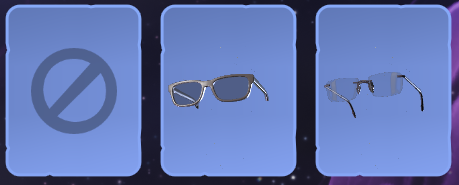
Skin
Makeup

Update History
- Tons of FREE customization options have been added to the wardrobe! 🧔
- 11 new hairstyles
- 8 more hair color options
- 9 new facial hair options (under the Face Cover tab)
- 3 new glasses
- 11 new hairstyles