
General Storage
General Storage allows The Player to deposit, store and withdraw items from their Inventory into Wooden Storage Chests, Copper Storage Chests and Iron Storage Chests that can be placed and accessed on the Housing Plot. Within General Storage, the Player may store up to 10,000 items, dependent upon how many and what type of storage chests are currently placed on the housing plot. Items stored in General Storage can be utilized by Crafters.
General Storage Interface
The General Storage Interface is accessed by using the () key on a storage chest that has been placed on the housing plot. This interface allows the Player to easily transfer items between General Storage and Inventory. The interface itself can be broken down into the following components:
Lockbox Button

In the upper left of the interface is a Lockbox Button. This button allows the Player to toggle between General Storage and Safe Storage. When accessing a Wooden Storage Chest, Copper Storage Chest or Iron Storage Chest, the default view of the interface is set to General Storage. When accessing a Lockbox Storage Chest, the default view of the interface is set to Safe Storage.
Sorting Tabs

Next to the Lockbox Button is a bar of various Tab Icons. Clicking each icon will allow the Player to sort the General Storage Slots in the following ways:
 All- This tab shows everything that is currently in General Storage and is the only tab that shows Quest Items
 Bugs - This tab shows only Bugs
 Cooking - This tab shows only Consumables and Products
 Crops - This tab shows only Crops, Fertilizer, Fruit, Seeds and Vegetables
 Equipment - This tab shows only Crafters, Equipment and Storage
 Fish - This tab shows only Fish
 Gatherable - This tab shows only Gatherables and Junk
 Materials - This tab shows only Materials
 Decor - This tab shows only Customization, Flooring, Roofing and Wallpaper
General Storage Slots
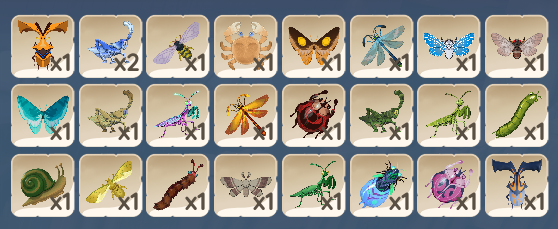
This part of the interface shows, based on the tab currently being viewed, the items and how many of each that are currently stored. To move an individual item from General Storage to the Inventory, simply Left-Click on the item. To move a stack of items, use Right-Click. Item stacks moved from General Storage to the Inventory will revert to that section's smaller stack capacity.
Storage Capacity Meter

Just below the General Storage Slots is the Storage Capacity Meter which indicates the Player's total items in storage and total current storage capacity. This meter remains visible no matter which tab of General Storage is currently being viewed. However, in the case of the Decor tab, this meter changes to reflect that there is Unlimited Decor Storage. Additionally, Quest Items will not count towards the total capacity.
Inventory
The Inventory is divided into three tabs: Backpack, identified by the sack icon, Ammo Pouch, identified by the arrowhead icon, and Quest Pouch, identified by the exclamation mark icon. Simply click on the icons to toggle between the three tabs.
Backpack Slots
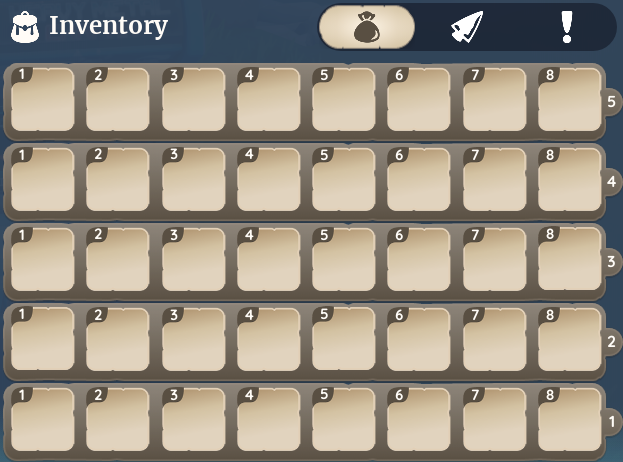
This part of the interface, indicated by the highlighted sack icon, shows all items, except ammo and quest items, and how many of each that are currently being held in the Player's Backpack. To move an individual item from the Backpack to General Storage, simply Left-Click on the item. To move a stack of items, use Right-Click.
Ammo Pouch Slots
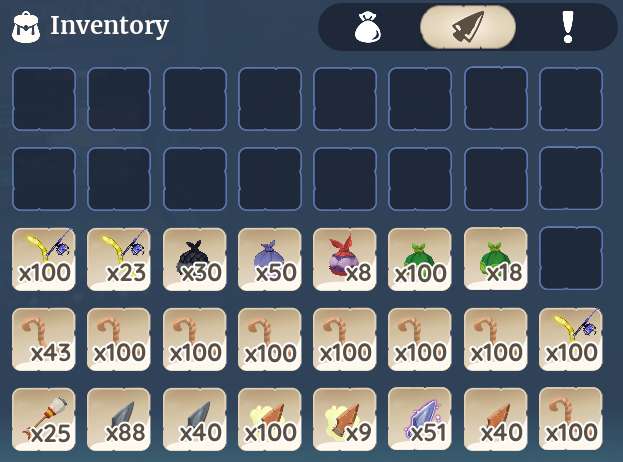
This part of the interface, indicated by the highlighted arrowhead icon, shows all Ammo items and how many of each that are currently being held in the Player's Ammo Pouch. To move an ammo item from the Ammo Pouch to General Storage, simply Left-Click on the item. To move a stack of items, use Right-Click.
Quest Pouch Slots
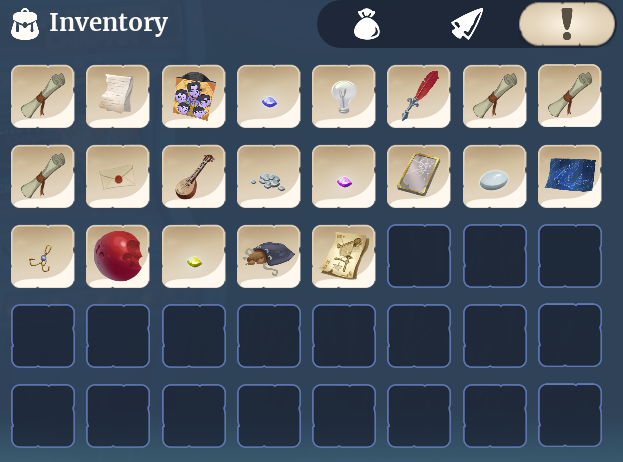
This part of the interface, indicated by the highlighted exclamation mark icon, shows all Quest Items currently being held in the Player's Quest Pouch. To move a quest item from the Quest Pouch to General Storage, simply Left-Click on the item.
Currency

At the bottom of the interface is the Player's current totals of  Renown and
  Gold.
Gold.
Update History
Build 0.179:
- Ammo Pouch tab added to the inventory to specifically hold Arrows, Smoke Bombs and Fishing Bait.
Build 0.176:
- “Quest Pouch” tab added to the inventory that Quest-related items will be sorted into.
| Navigation | |
|---|---|
| Villagers | |
| Skills | |
| Items | Gatherables • Bugs • Fish • Creatures • Crops • Furniture • Outfits • Treasure Chests • Bundles • Materials • Dishes • Quest Items |
| Locations | |
| Game Mechanics | The Player • Guide:Game Controls • Player Menu • Inventory • Tools • Currency • Focus • Quests • Accomplishments • Social Panel • Housing Plot • Crafters • Gifting • Friendship • Romance • Emotes |


